Update 1.10 · October 2026
What’s new?
Secret Santa, built right in.
With update 1.10, Secret Santa is built right in: create a group, share one link, and we draw the names. Nobody needs an account or the app to join, and everyone sees the wishlist of the person they’re gifting.
Create a Secret Santa group
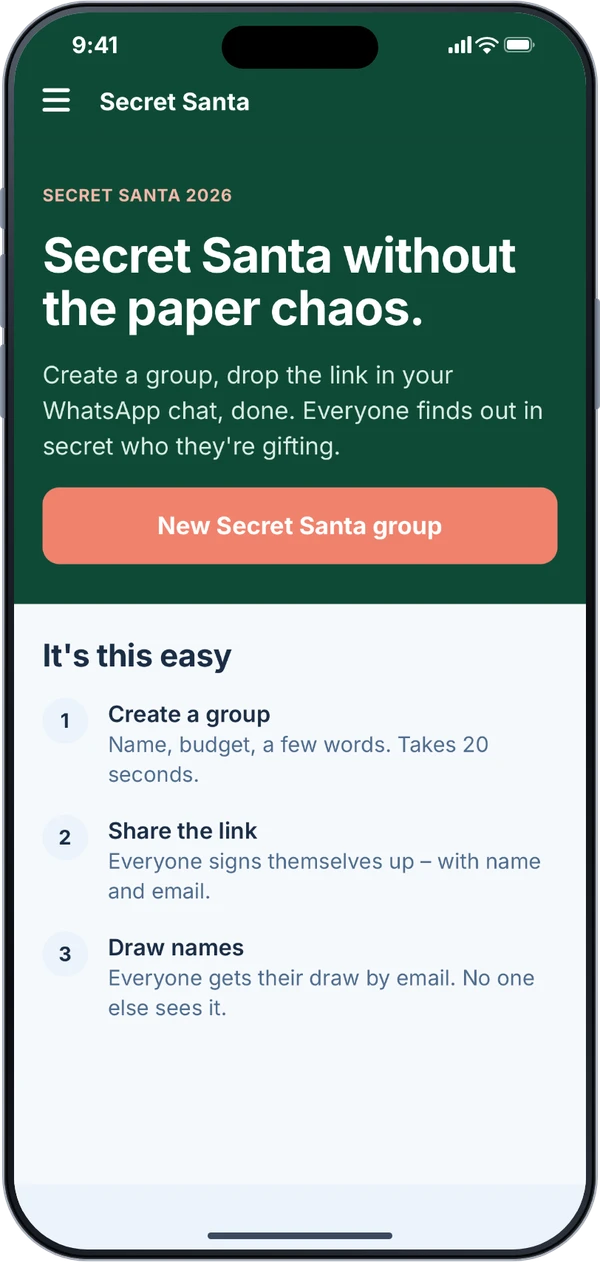
Find “Secret Santa” in the menu. Name your group and add your name. If you like, add a budget per gift, the date of the gift exchange and a few words for everyone.
If you’re joining in yourself, you get a match too. You can change everything until the draw.
Create a group in the app or right in your browser.
Join without an account or the app
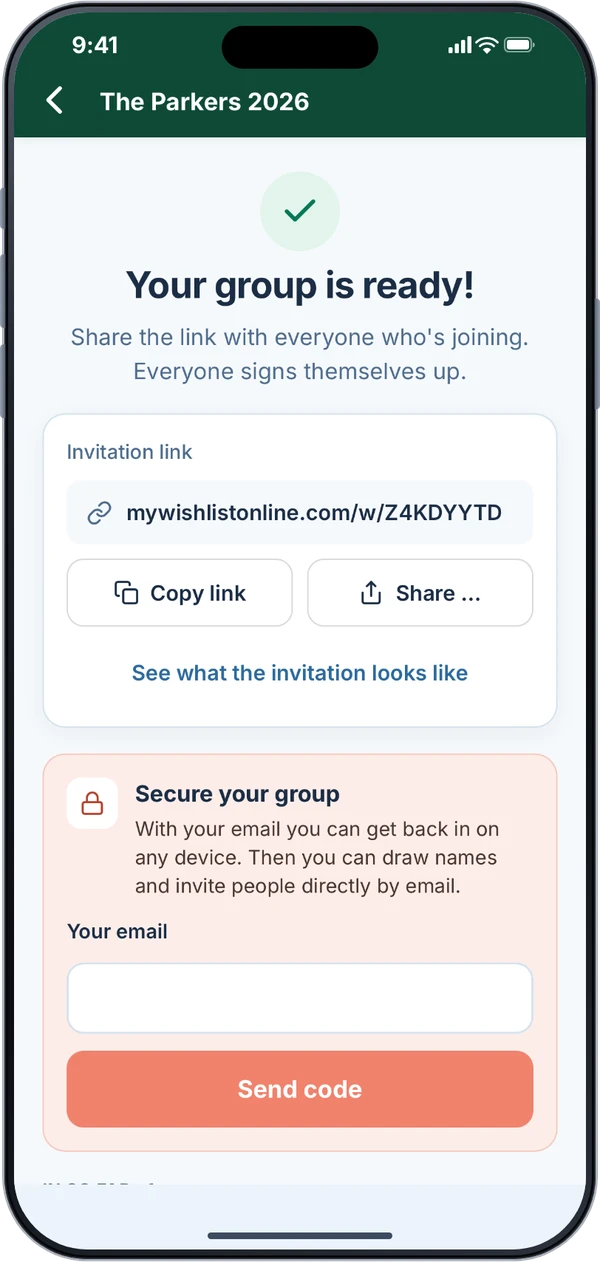
Send the invitation link through the share menu, for example to your family group chat, or copy it. You see what the invitation looks like before you send it.
Whoever opens the link signs up with their name and email and confirms with one tap in the email or with the code from it. Nobody needs an account or the app.
New sign-ups show up in your group on their own.
If you use My Wishlist Online without a confirmed email address, you secure the group with one before the draw. Then you can get back in on any other device, too.
Draw names, with exclusions
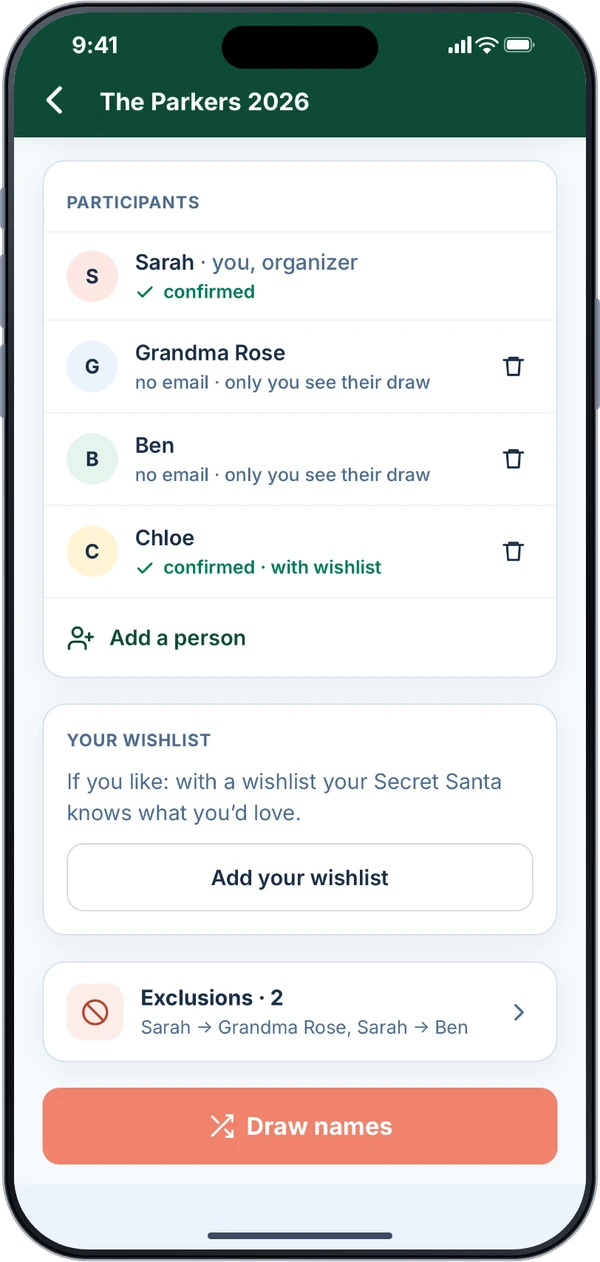
No email address? Add people by name only, like Grandma. Only you see their match and pass it on.
Exclusions let you decide who shouldn’t draw whom, like couples. The app shows right away whether the draw still works.
You can draw names once there are three people. If someone hasn’t confirmed yet, you decide: include them anyway, draw without them, or wait.
Everyone gets their match by email. There is no list of all matches, not even for you. In the group you see whether each email went out and can send it again.
Need to draw again? You can. Everyone who confirmed gets a new email.
Your match, with their wishlist
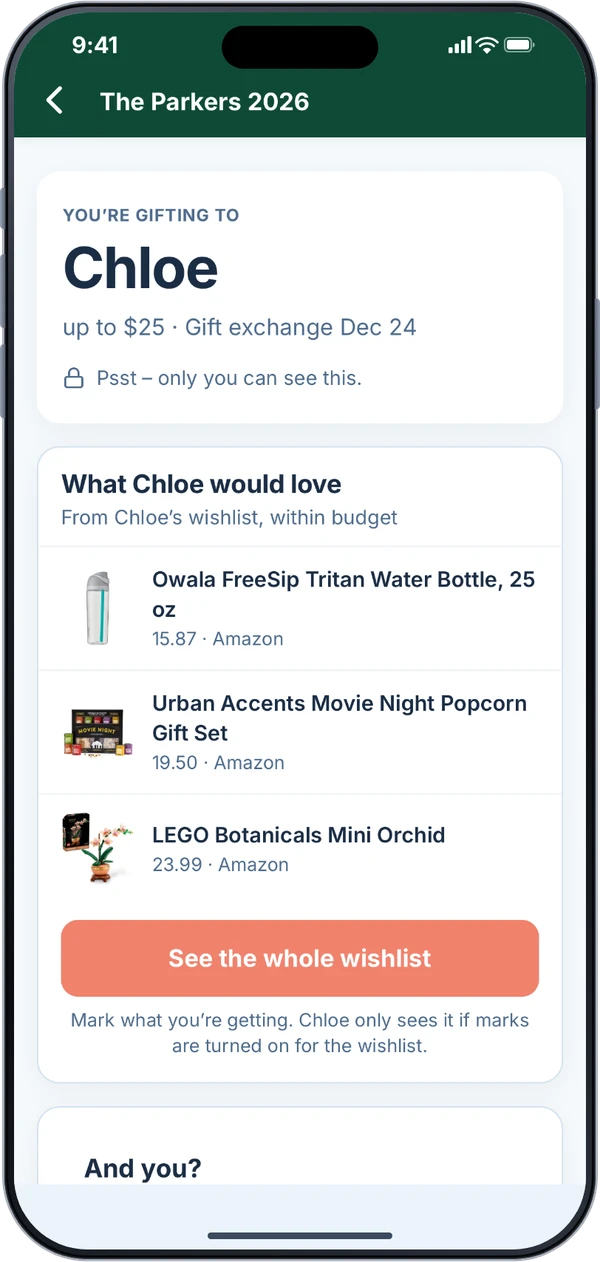
In the app, your match stays covered until you tap it. Then you see who you’re gifting and up to three wishes from their wishlist, those within the budget first.
Open their full wishlist to see every wish. Mark what you’re getting so nobody buys it twice. They only see the mark if they’ve chosen to show it on their own wishlist.
No wishlist yet? Ask them anonymously for a few wishes.
And for your own Secret Santa: link a wishlist to the group or create a new one, so they know what you’d love.
And the little things
The store browser bar now works on Walmart and responds to the first tap.
Three new avatars for your profile picture: a black cat in a hoodie, a goldendoodle and a flamingo.
On your own wishlist, the filter for marked wishes only shows up if you’ve made the “bought” marks visible to yourself. So it can’t spoil a surprise.
Collecting from ready-made gift lists runs more smoothly in many small places, including on a tablet in landscape.
Plus lots of small fixes behind the scenes for stability and security.
Share your feature wishlist with us
We want to know what bugs you most about making wishlists, and what’s still missing. Write to us, we read every message.
Send feedbackGet update 1.10
The web app is already up to date, no update needed.