Update 1.11 · November 2026
What’s new?
Ready for the holidays.
The holiday season is here, and we’re excited: wishlists filling up, Secret Santa groups coming together, and that fun question of what will make someone’s day. Black Friday and Cyber Monday kick off the gift hunt. Giving gifts should feel like anticipation, not stress. With update 1.11, we’re ready for it: sturdier, faster, and with lots of new details.
Secret Santa with a face
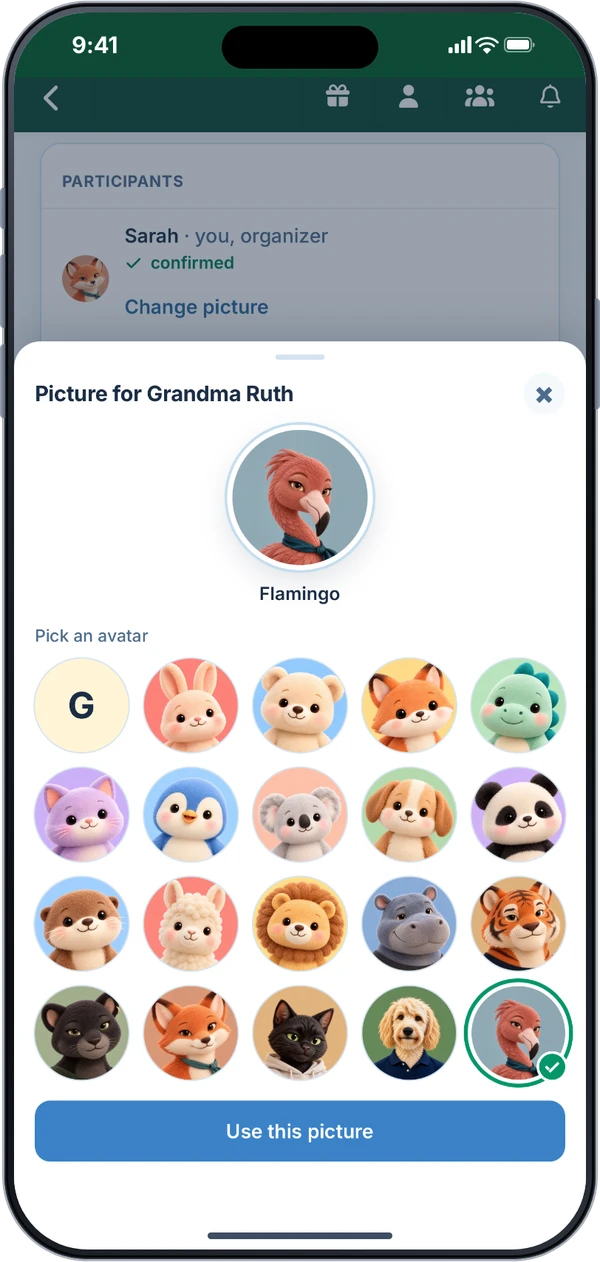
Pick an avatar when you join, like Ludo the cat or Peppi the goldendoodle. It shows in the participant list and on your match, and you can change it until the names are drawn.
The organizer picks one for themselves and for anyone they add by name only.
Secret Santa also runs more smoothly: once the names are drawn, the page says “Your match is here!”, reloading no longer sends you to sign-in, and after saving their wishlist, the organizer lands right back in the group admin.
No more duplicate gifts
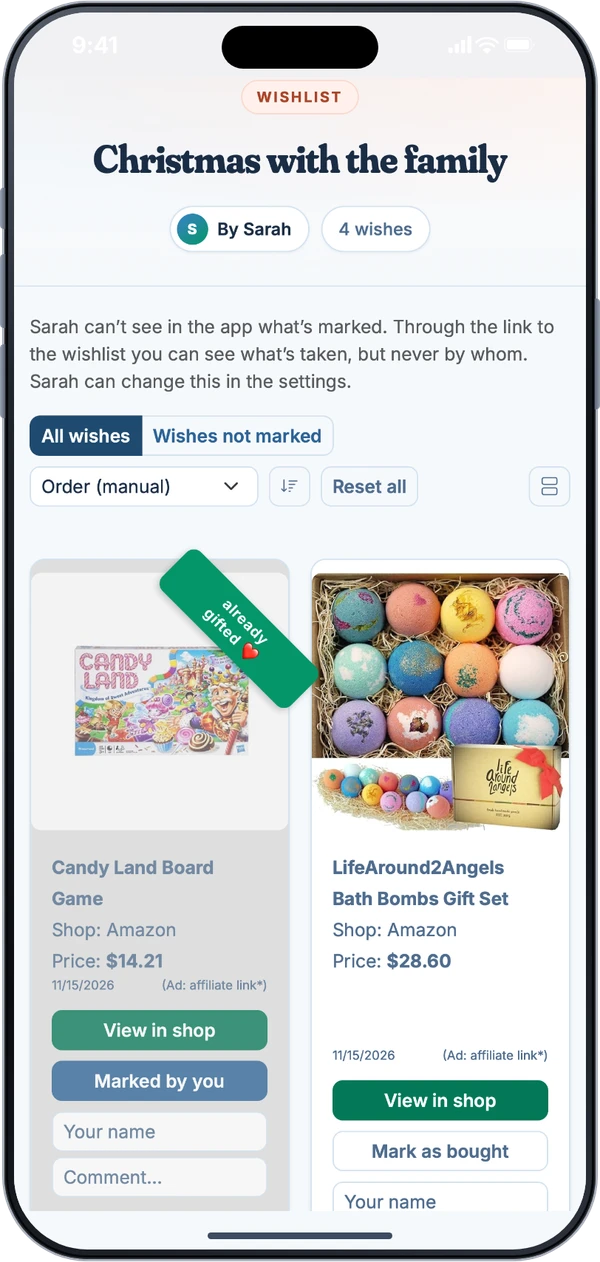
On friends’ wishlists you see who marked a wish as bought, and when, for example “bought by Anna on 11/12/2026.” Those wishes look lighter, so what’s still open stands out at a glance.
Guests without an account can add their name when they mark a wish, too. And when you mark a wish, the app shows you whether the owner can see marks.
The owner of the wishlist never sees who a mark is from, so the surprise stays a surprise.
Fast and reliable all season
Behind the scenes, we got ready for the holiday rush. Our systems are now sturdier and faster, and maybe you’ve already noticed.
The app is more stable too: on iPhone, it no longer crashes when you switch pages while something is loading, and after a brief network hiccup it simply tries again.
Ideas instead of a blank page
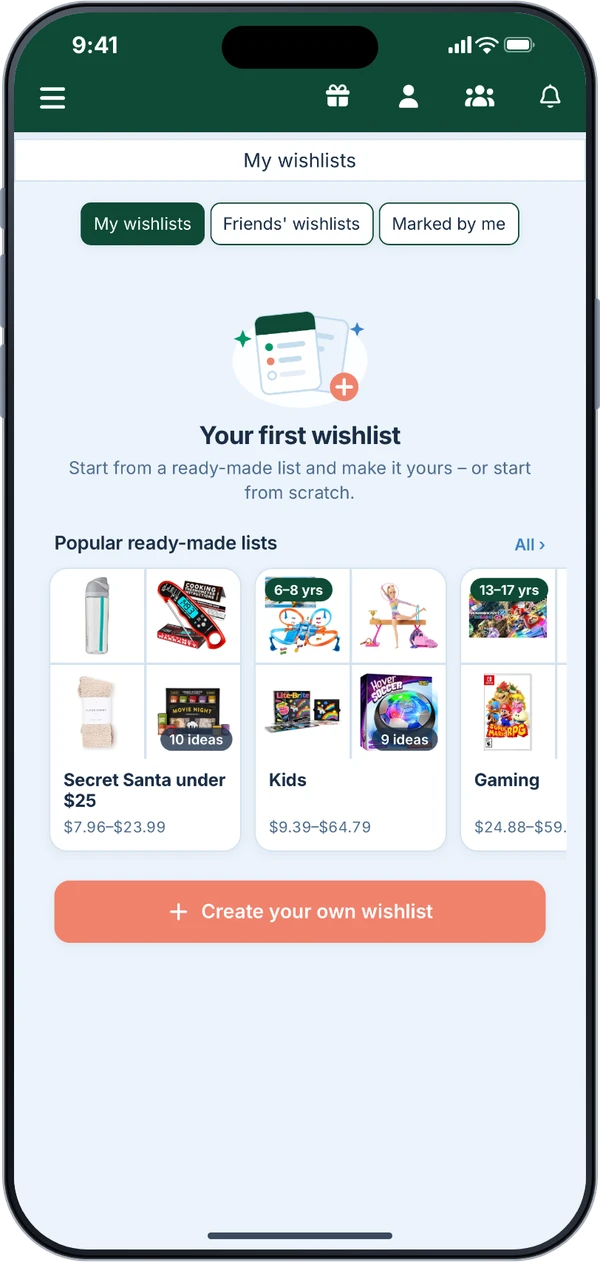
A new wishlist no longer starts empty. The app suggests ready-made lists for the occasion, for adults, kids, and teens.
Or add your own right away: from a store, with a link, or as your own wish. The empty “My wishlists” screen is tidier too.
Holiday logo
The app icon and splash screen get a holiday look into the new year, and the default profile picture wears a Santa hat.
Lots of little things that make life easier
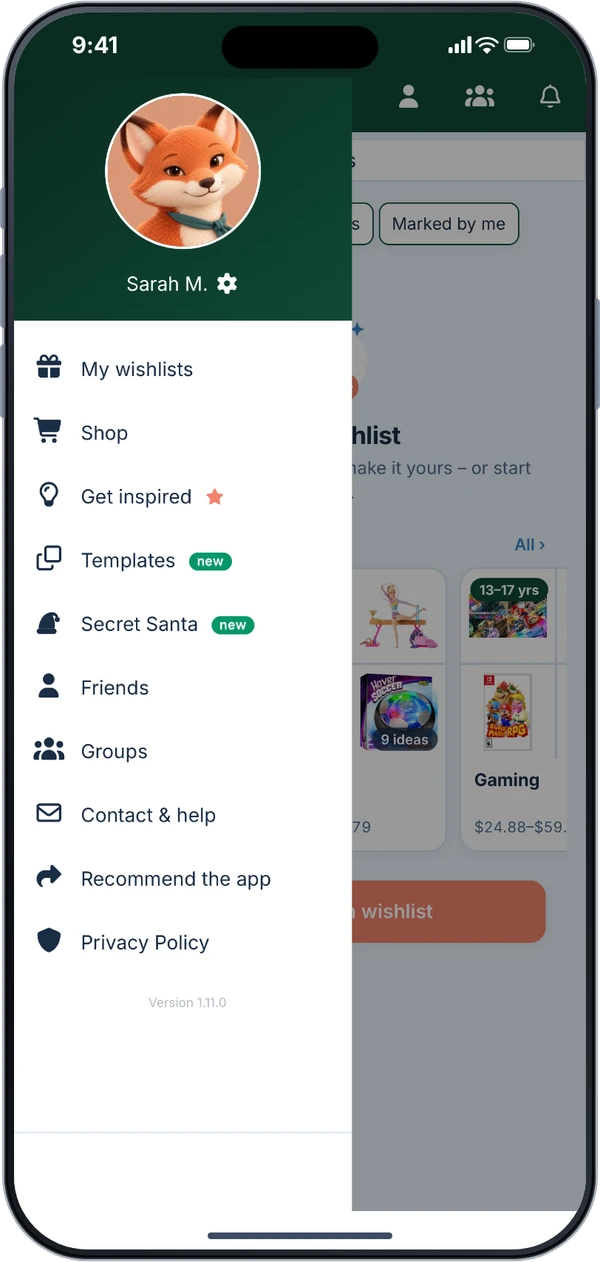
The menu has a new order. What you use most is at the top: My wishlists, Shop, Get inspired, Templates, Secret Santa.
For typos in your email address, such as “gmail.con,” the app asks “Did you mean …?” and suggests the right spelling.
If an ad blocker stops the partner link in the store browser, you get a hint and still a way into the store, instead of a blank page. If Amazon doesn’t respond, “Continue on Amazon” takes you straight there with your search.
The app reads prices correctly from more stores and no longer mistakes the list price for the actual price.
If saving your settings fails, everything you typed stays put, and the error shows right at the field. Tapping a notification takes you there right away. And on iOS 27, the status bar sits neatly above the green header again.
Share your feature wishlist with us
We want to know what bugs you most about making wishlists, and what’s still missing. Write to us, we read every message.
Send feedbackGet update 1.11
The web app is already up to date, no update needed.